![Typeface.png]](https://knowledge.heyyou.com.au/hs-fs/hubfs/Typeface.png?height=40&name=Typeface.png)
Updating hours through the Merchant Dashboard
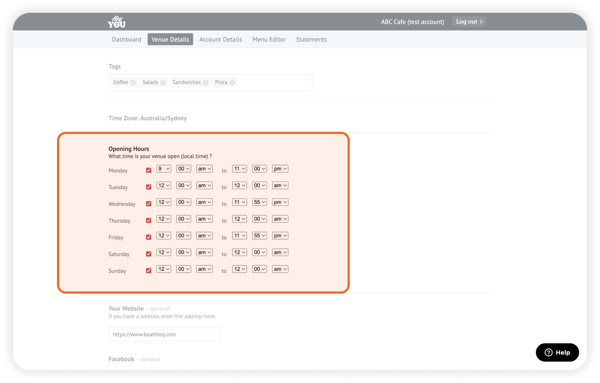
Follow these steps:
1. Log into the Merchant Dashboard.
2. Select Venue Details from the top panel.
3. Scroll down to Opening Hours.
4. Check the days of the week & define your open & closing hours for each day.
5. Click Publish!
Updating hours through the Venue Manager app
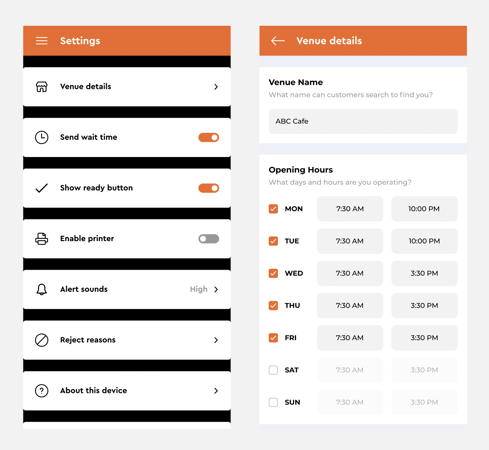
Follow these steps:
1. Log into the Venue Manager app.
2. Select the  button at the top left corner.
3. Select Settings > Venue Details.
3. Check the days of the week & define your open & closing hours for each day.
4. Tap Publish!