-
Launch the Hey You mobile app.
-
Sign in if you aren't already logged into your account.
-
Tap the
 Orders icon located at the bottom center of the main screen.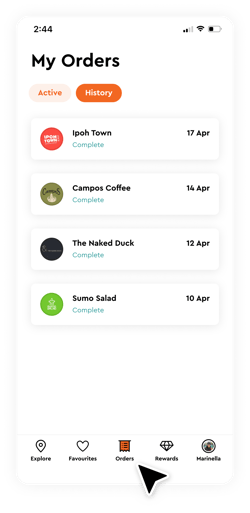
-
Select "Active" for active orders.
- Select "History" for past orders.
English
![Typeface.png]](https://knowledge.heyyou.com.au/hs-fs/hubfs/Typeface.png?height=40&name=Typeface.png)